How to Create a Professional E-commerce Store: A Step-by-Step Guide
The essential steps to build a successful online store — from goals and platform choice to product pages, payments, delivery and SEO — with lessons from stores we built in Egypt.
 MYN TeamMeets Your Need
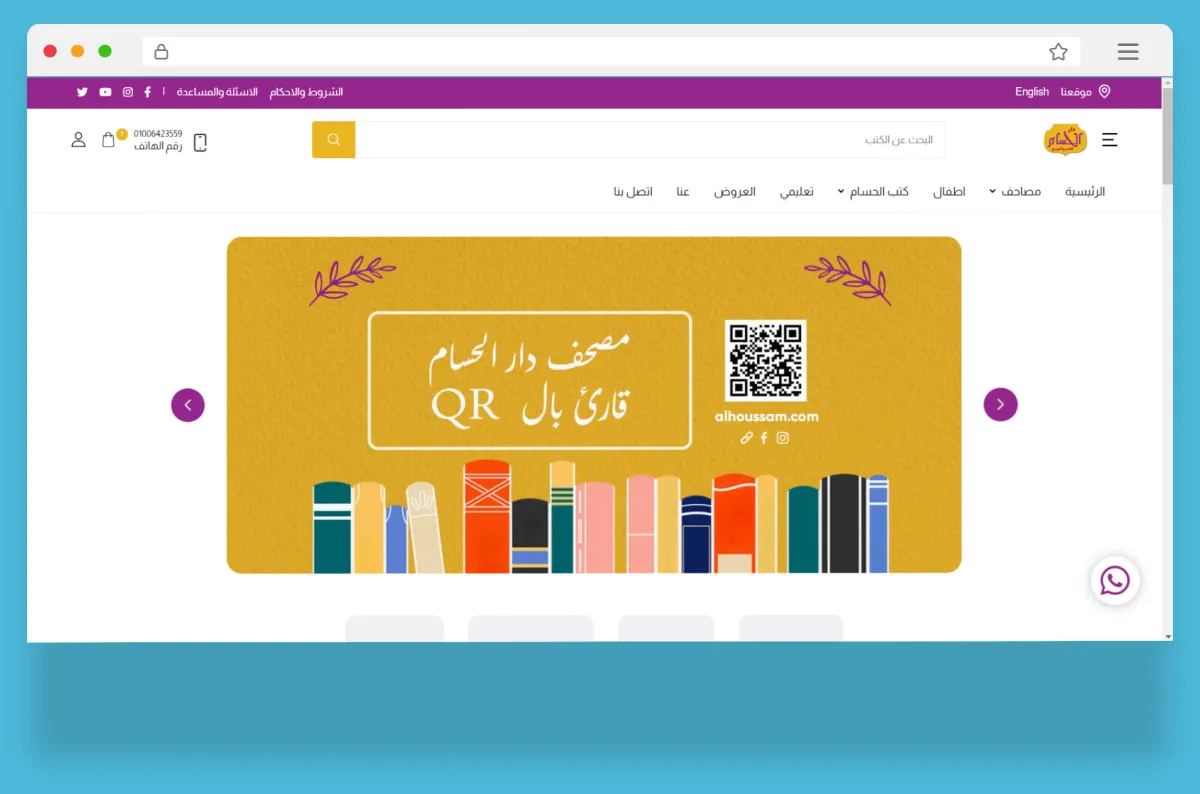
Creating a professional e-commerce store is one of the most effective ways to expand your business and grow online sales. This guide walks through the steps we follow when we build stores for clients — from a Quran and book publisher to a gift shop delivering across Egypt.
1. Define your goals and your audience
Before choosing any technology, answer three questions:
- What will you sell? Physical products, digital products, subscriptions — or a mix.
- Who will buy? Age, location, device, language and how they prefer to pay.
- How will you measure success? Monthly orders, average order value, repeat customers.
These answers shape everything else: the design, the payment options and the marketing.
2. Choose the right platform
| Option | Best for | Watch out for |
|---|---|---|
| Hosted platforms (Shopify, Salla, Zid) | Starting fast with a standard catalogue | Monthly and transaction fees, limits on customisation |
| WooCommerce | Small stores on WordPress | Plugin conflicts, performance and security upkeep |
| Custom store (e.g. Laravel) | Variants, branches, consignments, custom delivery or ERP integration | Higher upfront investment |
If your business has rules a standard platform cannot express — stock across branches, products printed in runs, coupons targeted to specific customers — a custom store usually pays for itself.
3. Design for trust and speed
- Mobile first: most Egyptian shoppers buy from their phones.
- Clear navigation with categories, search and filters.
- A full Arabic (RTL) version if your customers read Arabic — not just translated buttons.
- Fast pages: compressed WebP images and a lightweight theme.
- Trust signals: real photos, return policy, contact number and WhatsApp.
4. Add products, descriptions and images
Every product page should answer the buyer’s questions before they ask: size, material, options, delivery time and price. Use high-quality images from several angles and write unique descriptions — copied manufacturer text hurts SEO.
5. Make navigation and checkout effortless
- Show stock and variant availability (colour, size, edition) clearly.
- Keep checkout short: saved addresses, guest checkout and clear delivery fees.
- Calculate delivery by governorate so customers see the real total up front.
6. Integrate secure payments
Offer the methods your customers use: cards, mobile wallets, instalments and cash on delivery. In Egypt, gateways such as Paymob and Fawry cover most needs. Customers must feel secure — use HTTPS everywhere and never store card data yourself.
7. Optimise for search engines
- Keyword-rich but natural product titles and descriptions.
- Unique meta titles and descriptions for every category and product.
- Clean URLs, product structured data and an XML sitemap.
- Internal links between related products and categories.
Read more in our guide to improving your website’s SEO.
8. Launch, then market and measure
Install Google Analytics 4 and the Meta Pixel before launch, then drive traffic with social media and ads. Watch which products sell, where customers drop off in checkout, and improve every month.
Need help?
MYN designs and builds custom e-commerce stores in Arabic and English, and runs digital marketing campaigns to bring them customers. Tell us about your store for a free estimate.
- #e-commerce
- #online store
- #Egypt